Local-first TOTP for Chrome

Your 2FA secrets.
Offline by design.

LukaOTP keeps your one-time passwords in an encrypted vault inside your browser. No account, no phone dependency, and zero network communication.

Free to use · Chrome Manifest V3 · English / 简体中文 / 繁體中文

local vault
LukaOTP
Zero networkWorks fully offline
Encrypted vaultAES-256-GCM
0network requests
2minimal permissions
AES-256GCM encryption
RFC 6238TOTP standard
Privacy without friction

Fast when you need it.
Quiet when you don’t.

A focused authenticator that does one job well—generate your codes locally, without creating another cloud account.

01

Your vault stays on this device

Secrets are encrypted before they enter Chrome local storage. LukaOTP contains no analytics, trackers, ads, or network code.

02

Scan only when you ask

Import a QR code from the visible tab or a local image. Page capture happens only after your click and is processed in memory.

03

Find, copy, continue

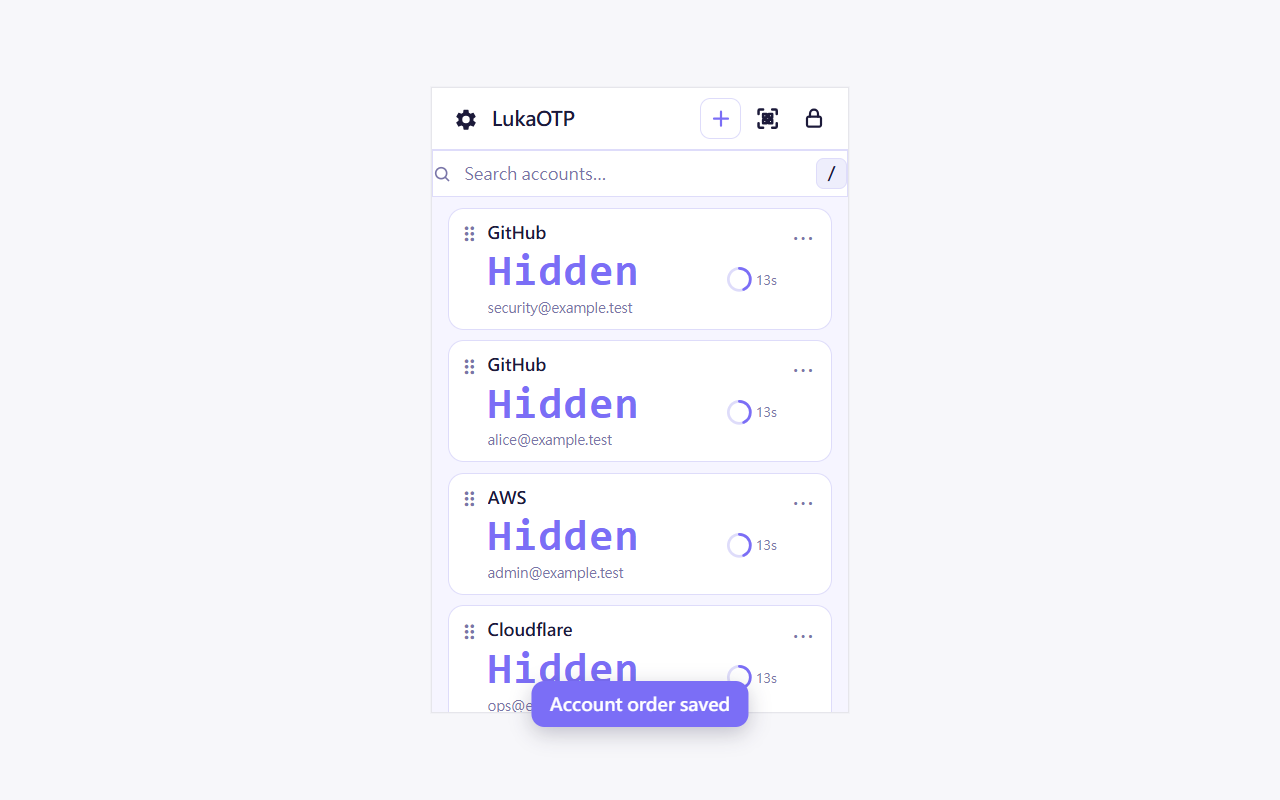
Search by service or account, see the countdown, and copy a 6- or 8-digit code in one click.

A short path from QR to code

Three steps. No detour.

1

Create your vault

Choose a strong master password. It never leaves your browser.

2

Import an account

Scan the current tab, select a QR image, or enter the secret manually.

3

Copy your code

Search, click, and paste the code where you need it.

Compare the trust model

Not every authenticator
makes the same tradeoff.

LukaOTP is built for a specific preference: quick desktop access with no cloud service in the loop. Choose the model that matches your threat model.

Cloud-sync authenticator

Recovery & multi-device

  • Convenient cross-device sync
  • Easier backup and recovery
  • Requires trust in an account or cloud service

Good fit when continuity across devices matters most.

Phone companion

Stronger device separation

  • Browser requests approval from a phone
  • Keeps OTP secrets off the computer
  • Adds phone pairing to the login flow

Good fit when independent-device isolation matters most.

Password manager TOTP

Maximum autofill convenience

  • Password and OTP in one workflow
  • Often includes sync and autofill
  • Places both factors in one ecosystem

Good fit when speed and integrated autofill matter most.

Comparison based on public product documentation: 2FAS, Ente Auth, Google Authenticator, Authenticator Extension. Reviewed August 2026.

Security you can explain

A small, inspectable data path.

Your master password derives an encryption key with Argon2id. Account secrets are protected with authenticated AES-256-GCM encryption and stored locally by Chrome.

Only two Chrome permissions storageactiveTab
01
Master passwordKnown only to you
Argon2id
02
Encryption keyDerived in memory
AES-256-GCM
03
Local vaultEncrypted in Chrome storage
Nothing exits your browser
Know the model

Privacy is a design choice.
Recovery is your responsibility.

LukaOTP deliberately has no cloud recovery. If you forget your master password, uninstall the extension, or clear its local data, your vault may be unrecoverable.

Before you begin: keep each service’s recovery codes in a separate safe place. For high-value accounts, prefer passkeys or hardware security keys when available.

Questions, answered

Before you install.

Does LukaOTP send any data to a server?

No. The extension makes no network requests and includes no analytics or advertising SDKs. Your settings, account labels, and encrypted secrets remain in Chrome local storage.

Why does it request activeTab?

Only to scan a QR code visible on the tab you explicitly choose. The captured image is processed in memory and is not saved or uploaded.

Can I use it without a phone?

Yes. LukaOTP runs directly in Chrome and does not require phone pairing. This is convenient, but it means the browser and OTP code are on the same device.

What happens if I forget my password?

There is no password reset or cloud recovery. Keep your service recovery codes safely stored outside LukaOTP.

Which languages and codes are supported?

The interface supports English, Simplified Chinese, and Traditional Chinese. It generates standards-based RFC 6238 TOTP codes with 6 or 8 digits.

Your codes. Your browser. Your control.

Make 2FA one click away,
without putting it in the cloud.

Add LukaOTP to Chrome

Free to use. No account required.